



Appling Download
Appling 1.0.0 for macOS

Everything you built with AI. One click from running.

Appling turns the projects you build with Claude Code and Codex into applings: named, with their own icon and a Start button, kept on your Mac. Launch them in one click and jump back into the session that built them.

macOS 13 or later · $9.99 once, per Mac · 7-day refund

Built for Claude Code · Codex and keeps your ChatGPT and Claude chats too

It works: click an appling, a tab or Stop

From project to appling

Your projects, made into applings.

Folders, start commands and HTML files scattered across your Mac become applings: one click to launch, always in the same place, and still there next month.

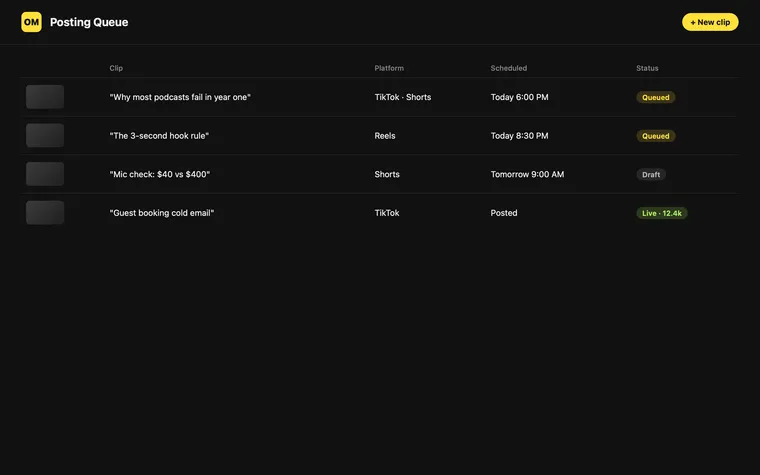
On Mic Posting Queuerunning · :5180Stop
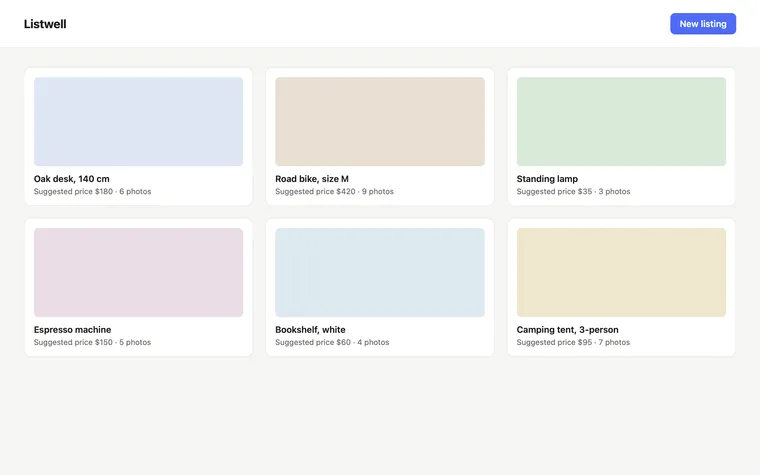
Listwellrunning · :5173Stop
Q3 Board ReportHTML · yesterdayOpen
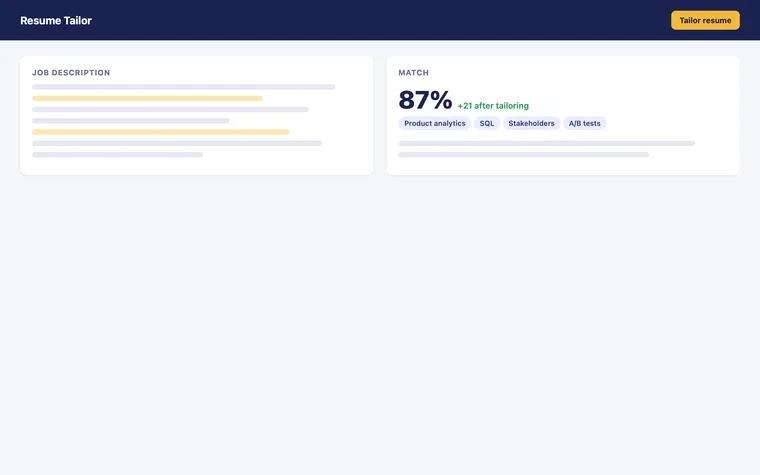
Resume TailorClaude Code · 4 sessionsStart
  • Launch in one click, from the window, the menu bar or ⌘K
  • Kept on your Mac, with its icon, folder and start command
  • Linked to the Claude Code or Codex session that built it

How it works

Three steps. You already do the first.

  1. 01

    Build with your AI tool

    Work the way you do now. Appling doesn't sit between you and Claude Code or Codex.

    › add photo upload and price suggestions
    ✓ 2 files changed
  2. 02

    Save it as an appling

    Type /appling in Claude Code or $appling in Codex. Or drop the folder, file or link on Appling.

    › /appling
    ✓ Added "Photo upload" to Listwell
    ✓ Start: npm run dev
  3. 03

    Start it from the launchpad

    One click starts it and shows its address. Another stops it. Another reopens the session that built it.

    Listwell is live
       localhost:5173 ↗

Skills for your AI

Your AI does the setup.

Appling installs a small skill into Claude Code and Codex. Say /appling or $appling at the end of a session and the agent that built the project saves it for you: how it starts, its icon, and a link back to the conversation.

  • Works out the start command, and writes a start script outside your repo if it needs one.
  • Picks up your app's own icon or logo, so it looks like itself.
  • Adds each later session to the same appling, with its branch and commit.
  • Dropped a folder Appling can't read? It hands it to Claude Code or Codex to set up, on your own plan.

Made a report or page in ChatGPT or Claude? Drop the file or paste the chat link, and the conversation behind it stays one click away.

Claude Code~/code/listwell

› /appling

⏺ Reading the project…

✓ Vite app · starts with npm run dev · port 5173

✓ Icon: public/apple-touch-icon.png

✓ Session linked · main · 2843d5f

ListwellSaved to Appling · ready to startStart

/appling in Claude Code · $appling in Codex

What you get

A launcher that knows what's actually running.

Run

Start and stop with a click.

Click Start and your appling runs, set up the way Claude Code or Codex built it. No terminal, no commands to remember. When you want to see what it's doing, its output is one tab away.

  • Find a word, jump to the first error, or hand an error straight to Claude Code or Codex.
  • Type a reply when a script asks for one.
  • Stop ends everything it started, and nothing else. Nothing is left holding a port.

Plays on its own. Click anywhere in the window to take over.

Ports

Real ports, read from macOS.

Appling asks the system which port each app is listening on, so the address it shows is the one that works. Before a start it checks the port is free, and says what holds it if it isn't.

  • See everything listening on your Mac, with its process and folder.
  • Give an appling its own port when two want the same one.

Sessions

Pick up the session that built it.

Every Claude Code or Codex session that worked on an appling is kept, with what it did, the branch and the commit. Continue reopens that exact conversation.

  • Start a fresh chat with a short brief when the old one is full.
  • See what a session changed, compared with the one before.

Everywhere

There when the window isn't.

The menu bar shows what's running and on which port. ⌘K finds any appling by name, folder, branch or :port, and takes stop, restart and logs.

  • Put any appling in the Dock, like an app.
  • Every shortcut can be changed.

Who it's for

Simple if you're new. Precise if you're not.

// you build with AI, not in a terminal

Drop a folder. Get a Start button.

  • Appling reads the project and works out how it starts.
  • If it can't tell, it asks Claude Code or Codex to set it up, on your own plan.
  • Reports and HTML files show a preview; chats are saved as links.
// you run agents across many repos

Process groups, not guesswork.

  • Real listening ports and port-clash checks, not log scraping.
  • Your editor and terminal: Cursor, VS Code, Zed; iTerm, Ghostty, Warp.
  • Branch and commit per session, worktrees included. Start scripts can live outside your repo.

Privacy

Nothing about your projects leaves your Mac.

Appling keeps one list, in a file on your Mac, of where your things are. That's it.

  • no accountNothing to sign in to.Open it and it works.
  • no serversNo cloud of ours.Your list lives on your Mac.
  • no telemetryNot tracked.Appling doesn't report what you do.
  • no scanningOpt-in only.A project is added when you add it.
  • no copiesYour files stay put.Appling stores where they are, not them.
  • two requestsBoth about Appling.A license check, and an update check. Details

Pricing

Pay once. Keep it.

$9.99

once, per Mac · not a subscription · all 1.x updates

3 Macs$26.9710% off
5 Macs$39.9620% off
10 Macs$74.9325% off
More than 10Email us
Buy a license →

7-day refund, no questions asked.

Questions

Answers before you ask.

What is Appling?

Appling is a Mac app that keeps everything you make with AI tools in one launchpad. Each app, tool, report or chat becomes an "appling" you can find, start, open, stop, and pick up again in the AI session that made it.

Which AI tools does it work with?

Claude Code and Codex connect directly: type /appling in Claude Code or $appling in Codex and the project you are working on is saved. Files and chat links from Claude and ChatGPT can be added by dropping or pasting them into Appling.

Does Appling work with ChatGPT?

Yes. Reports, HTML pages and documents you make in ChatGPT can be dropped on Appling and open with a preview, and a ChatGPT chat link can be saved with them so you can get back to the conversation. Codex, OpenAI's coding agent, connects directly with $appling. The same goes for Claude chats and files.

Does Appling upload my code or files?

No. Appling has no account, no server and no telemetry. It stores the location of your projects, never copies of them. The only network calls it makes are a license check with Lemon Squeezy and a check for app updates.

Does it scan my Mac for projects?

No. Nothing is added unless you add it: with the skill in Claude Code or Codex, by dropping a folder or file on the window, or by choosing a folder and ticking the projects you want.

What does it cost? Is it a subscription?

Appling is $9.99 once, per Mac. It is not a subscription. All 1.x updates are free. Packs for 3, 5 and 10 Macs are discounted.

Is there a free trial?

There is no trial. There is a 7-day refund, no questions asked.

Which Macs does it run on?

Any Mac with macOS 13 Ventura or later, Apple silicon or Intel.

Can I use it if I do not use a terminal?

Yes. Drop a project folder on Appling and it reads how the project starts and offers a Start button. If it cannot tell, it can ask Claude Code or Codex to work it out for you.

What happens to my projects if I delete Appling?

Nothing. Your projects stay exactly where they are. Appling only keeps a list that points to them, and removing an appling never deletes its files.

What does Appling do when two projects want the same port?

Before starting, Appling checks the port the project used last time. If something else holds it, Appling says what (another appling, or a process by name) and offers to stop it. You can also give an appling its own port.

How do updates work?

Appling checks for signed updates about once a day and installs one only after you agree. The skills for Claude Code and Codex are updated with the app.

How do I get a refund?

Reply to your receipt email or write to support@appling.app within 7 days of buying.

From the maker

Why this exists

I build small things with Claude Code and Codex most days. After a few months I had dozens of them and couldn't say where half of them lived or how any of them started. The work was done; getting back to it was the hard part.

Appling is the launchpad I wanted: each thing I made gets a name, a Start button, and a way back to the conversation that built it. It runs entirely on your Mac, and you pay for it once.

If something doesn't work the way you expect, write to support@appling.app. I read it.

Burak · Marquise Works LLC

Everything you've built,
ready to run.